 Clean Your TV
Clean your TV
from your phone.
No laptop. No cables. No accounts. Open the app on your Android phone, tap Start, and in about five minutes your Android TV has a calm home screen and the clutter nobody asked for is switched off.
Free and open source (MIT). Needs Android 9 or newer.
Three steps, about five minutes
Your phone and your TV need to be on the same Wi-Fi. That is all you need.
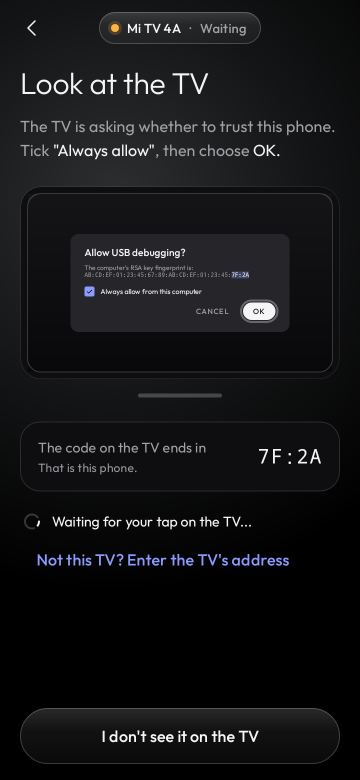
1. Connect
The app finds your TV on the Wi-Fi and shows you how to let the phone in with the remote. About a minute.
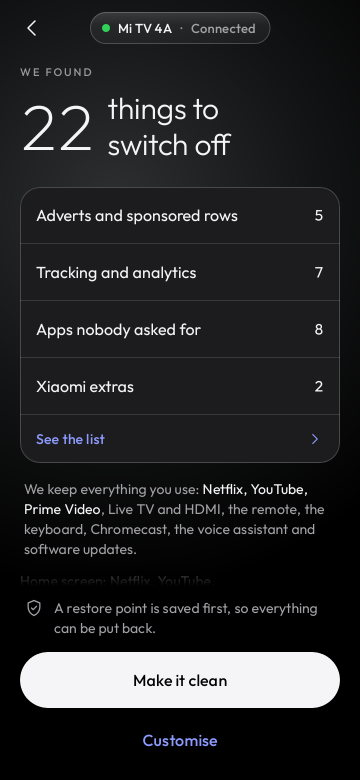
2. Analyse
It reads what is on the TV and shows the plan: what goes off and what stays. Nothing changes yet.
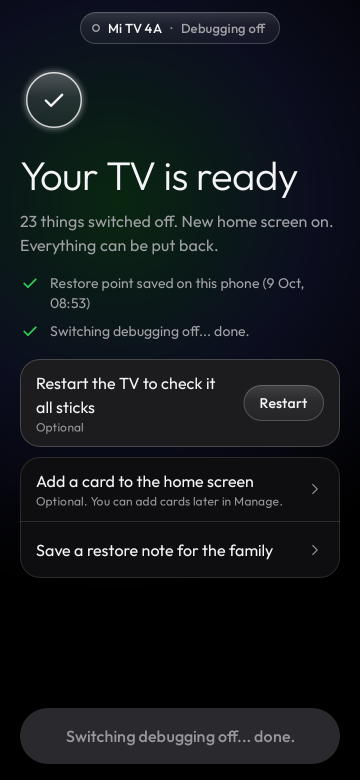
3. Clean
Tap "Make it clean". A restore point first, then the clutter goes and the new home screen comes on.
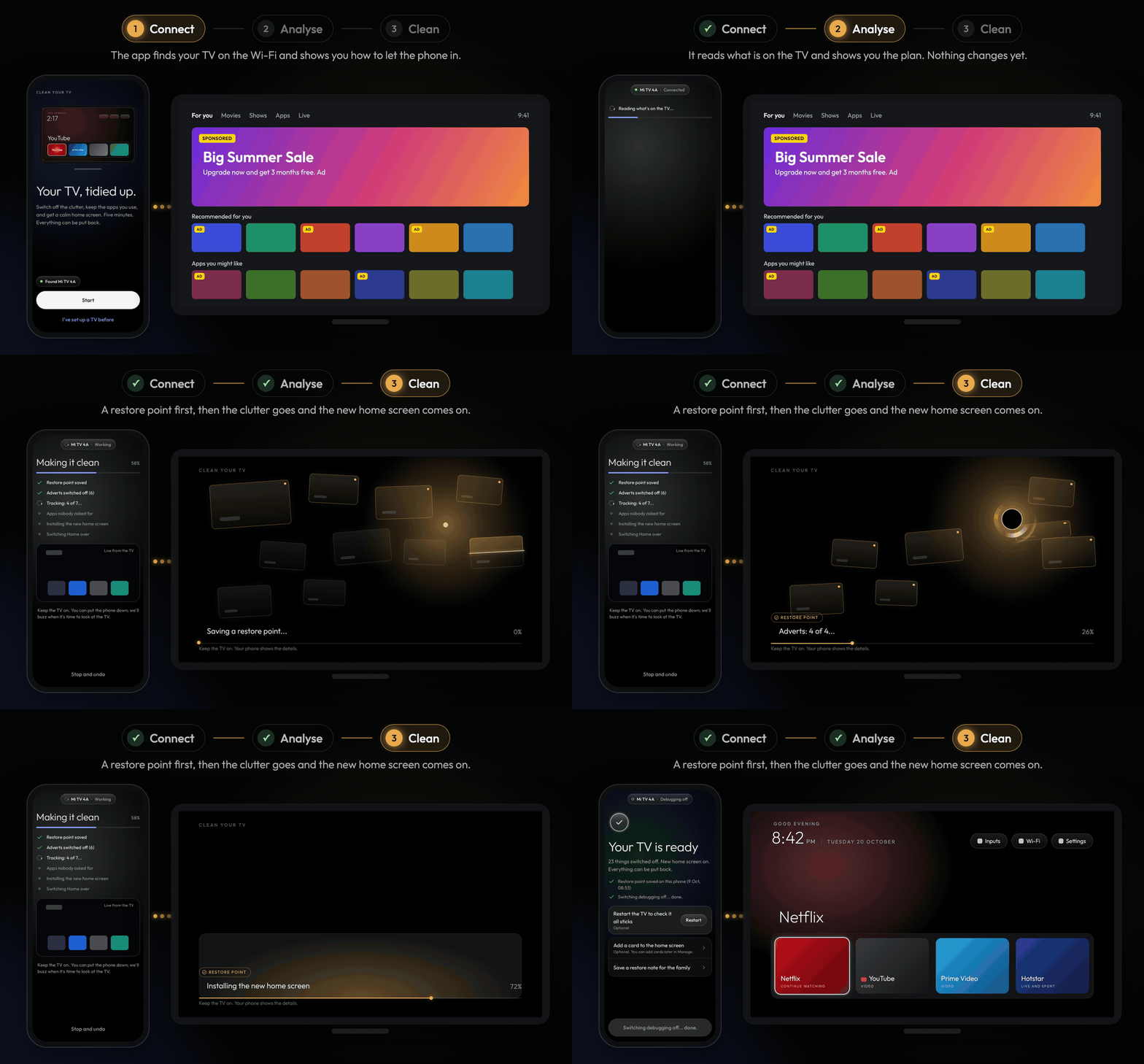
Come back any time to put an app back, check for leftovers after a TV update, change the dock or the look, or undo everything.
What it keeps, and how it keeps you safe
What stays
The apps you use and everything the TV needs.
- Your apps: Netflix, YouTube, Prime Video, live TV and the HDMI inputs.
- The basics: Wi-Fi, the remote, the keyboard, casting, the voice assistant and software updates.
- The parts Android needs to run and start up.
Safe by design
- Plan first. Nothing runs until you have seen it and tapped.
- Restore point. Saved on your phone before the first change.
- Nothing is uninstalled. Apps are only switched off, so every one can come back.
- Undo anything. One app or everything, any time.
- A watchdog on the TV puts its own home screen back if the phone does not confirm within 150 seconds.
Supported TVs
173 TV lists from 47 brands, from the Clean Your TV community lists: TCL, Sony, Xiaomi, Hisense, Philips, Amazon Fire TV, Panasonic, XGIMI, BenQ, NVIDIA Shield, onn, Google and many more, on Android TV, Google TV and Fire OS. A model nobody has listed yet still gets a careful clean-up based on its brand.
Find your TV: what the app does on it
Not for Samsung, LG or Roku. Those TVs do not run Android, so this app cannot work on them.
What the TV needs
Network debugging switched on in the TV's settings. The app shows you where, step by step, and switches it off again at the end unless you keep it on. On TVs that only offer Wireless debugging with a pairing code, pair once from a computer; the app shows the three commands.
How to install the APK
The download is an Android app file (an APK). Installing one takes a minute.
- Download. On your Android phone, tap Download for Android and then the
.apkfile on the release page. - Open it. Tap the downloaded file in your browser or in the Files app.
- Allow it once. If Android says your browser or Files app is not allowed to install apps, tap Settings and switch on "Allow from this source". Then go back.
- Tap Install, then Open.
Every release is signed by the same key, so Android checks each update for you. The certificate SHA-256 is eaf7af3867bb29ff4bb038854842c93f42ffe4198a087e611cb18f925201cd65, and the README shows how to check a download.
Private
No accounts, no analytics, no tracking. The app talks to the TV you pick on your home network, and the key your TV trusts stays in your phone's secure storage. Read the privacy policy.
Community-built, open source
This app is a community project built on Clean Your TV by Gathin and its contributors. The home screen and the TV lists come from there, and the name is used with Gathin's permission. Released under the MIT licence.